
OT Network Monitoring

See the attack before it stops production. Real-time detection, response, and forensics for ICS networks — deployable without touching your process.

  • Pre-tested in our IT/OT lab
  • Pricing published up front
  • Spec’d, priced, shipped — no vendor onboarding

Shop OT Network Monitoring

4 lab-validated products

What OT network monitoring is, and what it isn't

OT network monitoring means knowing which devices are on your industrial network, how they talk to each other, and when something changes that shouldn't. It ranges from a sensor that watches traffic around the clock to a handheld analyzer you carry to a panel. Either way the goal is the same: find the rogue device or the infected machine before it reaches the process.

It isn't a firewall and it isn't segmentation. Those limit traffic. Monitoring tells you what there is to limit and whether the limits are working. It also isn't only a SIEM, which collects logs from tools like these. If you have no visibility yet, start with discovery and inspection, then add network TAPs to feed a sensor.

Small teams can start without installing anything on a control system. The products in this collection work from a switch port, a USB port or a station where media enters the site. Each one is tested in our IT/OT lab before it is listed.

Why continuous monitoring is non-negotiable

Implementing security monitoring on OT networks is critical for proactively protecting systems and ensuring the integrity and availability of industrial operations — especially where those networks run critical infrastructure like power and manufacturing processes.

  • Early threat detection

    Real-time monitoring detects anomalous behavior, unauthorized access, or potential cyberattacks as they happen — before damage, theft, or disruption.

  • Faster incident response

    Alerts with real-time data help response teams quickly identify, isolate, and mitigate threats, preventing escalation.

  • Forensic investigation

    IDS logs and alerts serve as valuable post-incident evidence — how the attack occurred, what was exploited, and the scope of the damage.

  • Regulatory compliance

    IEC 62443, CMMC, NIST CSF and other frameworks require continuous network monitoring as part of their controls.

Which OT network monitoring product fits which job

Three kinds of tool sit in this collection. What separates them is the thing you need to check: the network itself, the computers on it, or the files coming through the door. Most sites end up with more than one.

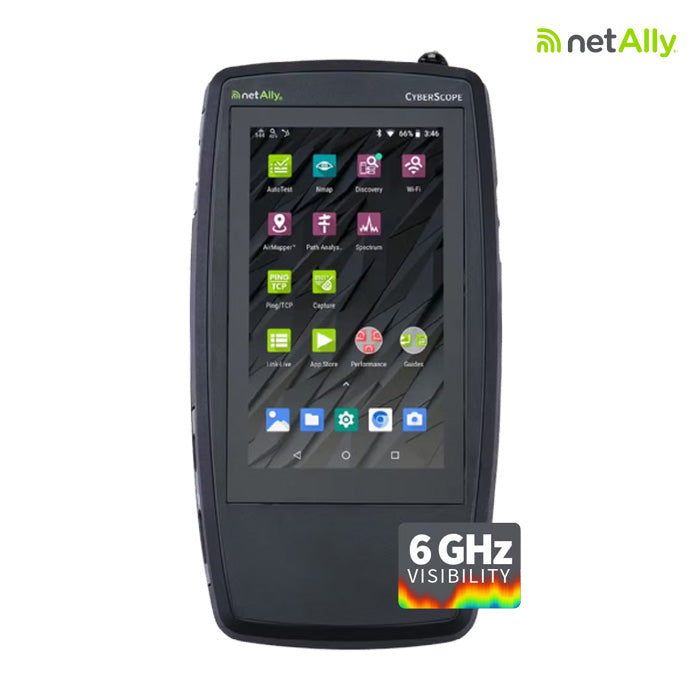
CompareHandheld network analyzerNetAlly CyberScopePortable malware scannertxOne Portable Inspector ProMedia scanning stationtxOne Safe Port
What it doesDiscovers connected devices, including rogue assets, scans for vulnerabilities and maps the network topology.Finds and removes malware on OT computers where security software can't be installed.Scans USB media for malware before it reaches OT systems, then logs, cleans or locks it.
Where it's usedAt the network edge, on wired, Wi-Fi and Bluetooth/BLE segments.Plugged into a USB port on the Windows or Linux machine being checked.A fixed touchscreen station wherever media enters the site.
Touches the process?It scans actively with integrated Nmap. Agree the scope and timing with operations first.Runs from the stick with no install and no reboot. The host needs 200 MB of free disk space.No. Media is checked at the station before it is plugged into an OT system.
Best forAssessment teams and integrators who need a device inventory and findings from one site visit.Legacy Windows systems, commissioning checks and assessment kits.Plants with regular contractor and vendor traffic and no full-time security team.
Starts at $15,559.00 $2,425.00Minimum 3 per order $18,375.00
ShopView productView productView product

Starting from nothing? The OT Cybersecurity Starter Kit Bundle pairs a CyberScope with two BlastShield gateways and a 150-endpoint annual license, so a first project covers discovery and segmentation together. For anything that doesn't fit this table, request a quote.

Who buys OT network monitoring from OT Cyber Direct

Systems integrators

You're commissioning a line or handing over a skid, and the client asks what else is on the network. A CyberScope gives you the device list and topology map for the turnover package. A Portable Inspector covers the malware check on each workstation before sign-off. Every SKU and price here is published, so the BOM is ready the same day.

Join the OT services marketplace

Asset owners

An audit finding, a grant application or an insurer's questionnaire usually starts the search. If the gap is removable media, a Safe Port station where media enters the site gives you a scan and a log for every USB drive. If the gap is not knowing what's connected, start with discovery and build from there.

Tools for OT security assessments

Assessment teams

A small team needs tools that fit in a bag and install nothing on the client's machines. CyberScope handles discovery, vulnerability scanning and Wi-Fi checks from one handheld. Portable Inspector collects computer information, Windows Update status and installed applications during each malware scan, so the asset record builds as you work through the floor.

Visit the Resource Center

Monitoring architecture from collectors to SOC

Smart collectors tap LAN and SPAN ports across OT and IoT switches, feeding detection, IDS, SIEM, and forensics — in the cloud or on-premises, with an optional OT/IoT SOC on top.

iOT365 deployment architecture — collectors, platform, SOC

OT network monitoring questions buyers ask

Question not listed? Email info@otcyberdirect.com or call (508) 289-1195.

How much does OT network monitoring cost?

The products on this page run from $2,425 for a txOne Portable Inspector Pro (minimum three per order) to $18,375 for a Safe Port media scanning station. A handheld CyberScope is $15,559. Fixed IDS sensors for continuous monitoring are a separate, larger project, so ask for a quote.

Do I need OT network monitoring if I already have a firewall?

Yes. A firewall enforces the rules you give it. It can't tell you about the device a contractor plugged in behind it or the malware that arrived on a USB drive. Monitoring and inspection tools find those, and what they find tells you which firewall rules you still need.

Can these tools be used without taking the process down?

The txOne Portable Inspector scans without installing software or rebooting the target, so running processes stay up. Safe Port checks media before it reaches an OT system. CyberScope scans the network actively, so agree the scope and timing with operations before you run it.

What is the difference between active and passive OT monitoring?

Passive monitoring listens to a copy of the traffic from a TAP or SPAN port and sends nothing to the devices. Active tools send queries or scans to find out what is there. Passive is the safer default on a live control network. Active scanning finds more in less time, and needs planning with operations.

What else do I need to buy with it?

txOne products need software licenses: ElementOne plus the Portable Inspector Pro or Safe Port license, each listed on the product page. Safe Port has an optional wall and table mount kit. CyberScope reporting runs through NetAlly's Link-Live cloud application.

Who ships the order, and how fast?

Each vendor ships from its own facility, so an order with products from two vendors arrives as separate shipments with a tracking code for each. Ground shipping is free on most products, and some vendors offer overnight for orders placed before 12 PM ET.